+1 Roll Ice Cream Controls
Learn the inputs that keep scrape, merge, sell, and upgrade loops flowing on every device.
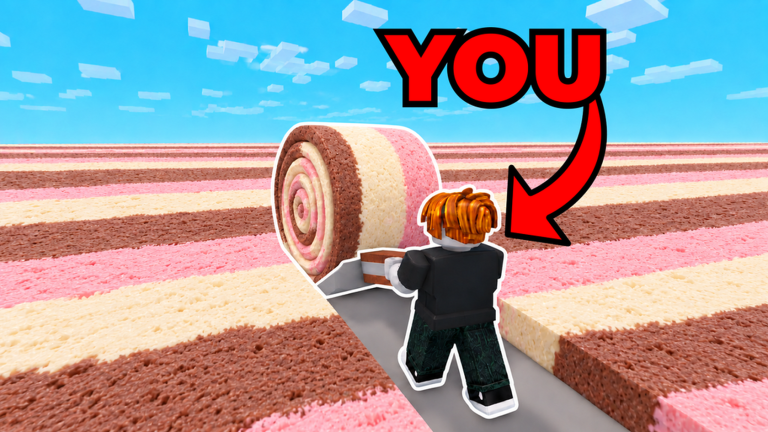
+1 Roll Ice Cream is built as a chill incremental simulator, but clumsy menus still waste minutes. This Controls Hub explains how to move, scrape on the Ice Cream Board, use the Merge Machine, sell to customers, and open shops without fighting the UI. Pair it with Getting Started for your first hour and How to Scrape and Merge once the basic buttons feel natural. The experience stays playable on Desktop, Mobile, Tablet, and Console.
Core actions you will repeat
Almost every profitable minute uses the same verbs: scrape ice cream, merge batches, walk or teleport toward better customers, sell, then spend cash on Flavors, Speed Upgrades, Eggs, or Workers. Knowing which button fires which action matters more than memorizing obscure keybinds.
On desktop, movement uses standard WASD or arrow keys, camera follows the mouse, and left click interacts with boards, machines, stands, and NPCs. On mobile and tablet, on-screen joysticks and tap targets replace those clicks. Console players use the left stick to move and the confirm button to interact — keep the camera pulled back slightly so Flavor Stands and the Merge Machine stay visible while you roll.
Ice Cream Board and Merge Machine
The Ice Cream Board is where scraping happens. Stand close enough for the interaction prompt, then hold or mash the interact control to grow your scoop. Larger scoops sell for more, so do not sprint away the moment a small ball appears. When inventory or board space fills, path to the Merge Machine and combine ice cream in batches. Merge before every big sell run so you are not walking past billionaire customers with tiny stacks.
If you lose the board after a teleport, check the Places list or walk back toward Spawn landmarks. Script hubs list Flavor Stands, Speed Store, Merge Machine, and Ice Cream Board as distinct points of interest — learning those names makes both manual play and any teleport menu easier to read.
Selling and customer routes
Selling is not automatic forever. Early on you walk scoops to nearby kids for small payouts, then chase richer customers as Speed Upgrades unlock higher Levels. On PC, sprint between sell NPCs after a merge. On mobile and tablet, plan a short route so you are not fighting the joystick mid-sale. Console players should keep interact on a comfortable face button and avoid camera flips mid-sale. Reject lowball offers when a better customer is a few seconds away — the gameplay clip on Getting Started shows how offer values jump between kids.
For Level pads, richer buyers, and when to leave Spawn kids behind, follow the sell routing in Customers and Levels — that guide is the strategy layer on top of these device inputs.
Login claim order and menus
Before a long Scrape block, claim daily rewards and collect potions so buff timers cover productive minutes. The full login claim order lives on Daily Rewards and Potions. Then open the shop or side UI to buy the next Flavor, purchase Speed Upgrades, hatch Eggs, equip Pets, and trigger Rebirth. Keep cash reserved for the next Flavor or Speed purchase instead of impulse Egg buys unless your Tier List priority says Pets are the bottleneck. After Rebirth, re-open menus immediately and re-equip your best Pet so you do not scrape at base power.
Device tips that actually help
- Desktop: raise graphics only if your frame rate stays stable; scrape timing feels better above stutter.
- Mobile / tablet: keep thumbs on move + interact; plan short Level routes so joystick fights do not eat Merge windows.
- Console: bind the most-used interact action to the easiest face button and avoid camera flips while merging or selling.
- All platforms: claim daily rewards at login, then scrape — missing free potions slows every later loop. Support remains Desktop, Mobile, Tablet, and Console.
Common control mistakes
Players often spam sell too early, stand too far from the board so scrape never starts, or open the Egg shop while a Merge Machine queue is waiting. Another frequent issue is upgrading Speed without buying the next Flavor, so you reach rich customers with weak scoop value. Use Flavors and Upgrades and Eggs and Pets to decide spend order, and How to Unlock Workers when AFK scoop help becomes available.
Practice checklist
- Join from the official Roblox page.
- Claim dailies and potions at login.
- Find the Ice Cream Board and complete one full scrape.
- Merge once, sell once on the best unlocked Level, note the cash gain — see Customers and Levels.
- Open Flavor and Speed menus without buying yet — learn labels.
- Follow the spend order in Getting Started, then return here if a device-specific control still feels awkward.
Controls will not replace strategy, but clean inputs make every guide on this wiki faster to execute. When patches move UI buttons, re-check this page and the Updates Hub.
Frequently Asked Questions
Quick answers to the most common questions.
What are the PC controls for +1 Roll Ice Cream?
Move with WASD or arrows, look with the mouse, and left click to scrape, merge, sell, and open stands. See the sections above for board and sell routing tips.
Does +1 Roll Ice Cream support mobile, tablet, and console?
Yes. The experience is playable on Desktop, Mobile, Tablet, and Console. Use on-screen move and tap-to-interact on touch devices, and keep merge-then-sell routes short.
Why is scrape not working?
Stand closer to the Ice Cream Board until the interact prompt appears, then hold or tap interact. If you just teleported, reorient toward the board landmark.
Where do I open codes or shops?
Use the left or side menu icons for Shop, Codes, Eggs, and upgrades. Exact labels can shift after patches — confirm on the Codes Hub and Updates Hub. Claim dailies via Daily Rewards and Potions.
Which guide should I read after learning controls?
Continue with How to Scrape and Merge, then Customers and Levels for sell routing and Flavors and Upgrades for spend priorities.